
Mobile agent (`wonkru_mdm_mobil`)
The Device Owner (DPC) application runs on the Android device. It combines a Flutter UI and
business logic with a Kotlin native layer. Provisioning uses Android’s fully managed device
mode. Almost every native operation first checks dpm.isDeviceOwnerApp() and returns the
"Device Owner permission required" error when the app is not Device Owner.
Paths are relative to the wonkru_mdm_mobil/ root, with Kotlin code under
android/app/src/main/kotlin/com/wonkrumdm/.
6.1 Identity and build
Section titled “6.1 Identity and build”applicationId |
com.wonkrumdm |
| Admin receiver | com.wonkrumdm/.core.receivers.MdmDeviceAdminReceiver |
| Version | Defined in pubspec.yaml |
| SDK | Minimum, target and compile versions come from the Flutter Gradle plugin |
| JVM | 17; Gradle 9.7.0, AGP 9.3.1, Kotlin 2.4.21, KSP 2.3.12 |
| Flavor | None; the environment is provided via config.json |
The agent is not a member of the pub workspace. It uses the generated client via
wonkru_mdm_client: path: ../wonkru_mdm_client and keeps its own pubspec.lock, so you cannot
run flutter pub get before the client is generated.
config.json (build variables)
Section titled “config.json (build variables)”Given with --dart-define-from-file=config.json, read by lib/Core/Constants/const.dart.
| Key | Meaning |
|---|---|
HOST |
Default server address |
PORT |
API port (8090 in development) |
SCHEME |
http / https |
IT_PAGE_PASSWORD |
Offline backup password of the on-device IT page |
BOTTOM_LEFT_APP_NAME |
Name in the launcher bottom bar |
ENROLLMENT_KEY |
Optional; fills the enrollment key on a controlled/dev build (empty by default) |
The agent uses the server address from server_url when provisioning or the setup screen
provides one, and SCHEME://HOST:PORT otherwise.
The sample
config.jsoncontains emulator defaults (10.0.2.2) and theCHANGE_MEIT password. Provide your own values for a deployment build; do not ship an APK to the field without changingIT_PAGE_PASSWORD.
Signing
Section titled “Signing”If android/key.properties exists (template: key.properties.example; fields storePassword,
keyPassword, keyAlias, storeFile), the release build is signed with it. If the file is absent,
the release build is silently signed with the debug key. Since the signature checksum in QR provisioning
and updating over Device Owner depend on the signature, every APK shipped to the field must be signed
with the same release key.
Commands
Section titled “Commands”flutter pub getflutter run --dart-define-from-file=config.jsonflutter build apk --release --dart-define-from-file=config.json./pigeon_generate.sh # generates the native bridge codedart run tool/generate_lang.dart # generates L.dart from tr_tr.dartflutter testTo connect to the server on the host machine from the emulator, add --dart-define=HOST=10.0.2.2.
Helper tools (tool/)
Section titled “Helper tools (tool/)”send_device_command.dart <deviceId> <action> [paramsJson]: logs in as admin and sends a command.create_device_notification.dart <deviceId> [title] [message]: creates a notification.adb_enroll.sh --key <key> [--server <url>] [--code <code>] [--serial <serial>]: pushes the setup values to the app over ADB (am startextras), so the key does not have to be typed.- Environment:
WONKRU_SERVER_URL(defaulthttp://10.0.2.2:8090),WONKRU_ADMIN_EMAIL,WONKRU_ADMIN_PASSWORD.
deploy.sh is an interactive ADB tool that selects a device, runs adb install -r, assigns
Device Owner, and opens the app. Connect the device to Wi-Fi first. Set APK_PATH to use an APK
other than build/app/outputs/flutter-apk/app-release.apk.
6.2 Setup and enrollment
Section titled “6.2 Setup and enrollment”Becoming Device Owner
Section titled “Becoming Device Owner”There are two ways:
QR provisioning. On a new or factory-reset device, tap the same spot on the welcome screen six times and scan the QR from the panel. Android connects to Wi-Fi, downloads and verifies the APK, then makes the agent Device Owner. Device enrollment
ADB (development and single device): the device must be factory reset or have no account added;
otherwise dpm errors out.
adb install -r app-release.apkadb shell dpm set-device-owner com.wonkrumdm/.core.receivers.MdmDeviceAdminReceiveradb shell am start -n com.wonkrumdm/.MainActivityWhen it becomes Device Owner, MdmDeviceAdminReceiver.onEnabled() grants the agent itself all dangerous
permissions in the manifest (SelfPermissionManager).
Provisioning extras
Section titled “Provisioning extras”ProvisioningActivity answers GET_PROVISIONING_MODE with the fully managed device mode and
saves the extras bundle in ADMIN_POLICY_COMPLIANCE. ProvisioningExtras writes the bundle
values to FlutterSharedPreferences with the flutter. prefix; the Dart side reads them through
BasicStorage: server_url, device_code, enrollment_key.
EnrollmentKeyStore moves the enrollment key to secure storage and deletes the plain
copy.
First-launch screens
Section titled “First-launch screens”ControlPage routes in order:
- Permissions (
PermissionsSetupPage): Device Owner check, then writing system settings, notification policy access and all-files access. - Setup (
InstallPage): server address and enrollment key, either from the provisioning QR (which also carriesdevice_code) or entered manually. A camera button scans the setup QR (Core/Utils/setup_payload.dartreads the provisioning extras or a flat{server_url, enrollment_key}payload). The key is in the panel under Settings → Device Enrollment Key; the panel can also show it as a QR. If there is a self-signed TLS, the local CA is installed from here. - Home screen (
HomePage→ launcher).
Enrollment (lib/Data/DataSources/Remote/device_register.dart) collects device info,
calls client.device.register(...); the code and uuid in the response are written to normal storage, token
only to secure storage. It then sets up the Serverpod gateway, runs a full sync, fetches and applies the policy,
and starts the services.
If the policy name field comes back empty, setup errors out: it means no policy is assigned
to the device on the server. The server must have a default policy defined.
If the enrollment key is rejected (DeviceEnrollmentRejectedException) the agent stops auto-retrying
with that key; you must enter a new key.
Local CA
Section titled “Local CA”If the server uses a certificate signed by your own CA, select Enter CA server info on the enrollment screen. For HTTP downloads, enter the SHA-256 fingerprint provided by your administrator. HTTPS with your own TLS certificate
- If the API uses HTTPS, the setup screen suggests
http://HOST/downloads/local-causing the API hostname. For an HTTP API, it also uses the API port. If the URL you enter has no path, the agent appends/downloads/local-ca. - The agent checks that the response contains a PEM certificate and verifies its fingerprint
when provided. A server without a built
web/appcan return HTML for a missing file. - The agent stores the certificate and installs it with
dpm.installCaCert. Its HTTP clients can then use this CA.
network_security_config.xml trusts system and user CAs and allows cleartext HTTP.
6.3 Server connection
Section titled “6.3 Server connection”ServerpodGateway (lib/Data/DataSources/Remote/serverpod_gateway.dart): connection timeout
20 sec, stream timeout 15 sec; a separate client with a 5 min timeout for file uploads.
| RPC | Use |
|---|---|
register |
Enrollment |
config |
Policy fetch |
sync |
Full telemetry |
connect |
Persistent stream |
report |
Event report (e.g. Wi-Fi network changed) |
log |
Log sending (3 retries) |
notificationAck |
Notification received |
passwordCheck |
IT page login |
Identity errors:
DeviceIdentityMismatchException: the agent adopts the server’s UUID and retries the request once.DeviceUnauthenticatedException:EnrollmentRecoverydeletes the local identity, re-enrolls, restarts the stream. It keeps the identity while offline. Re-enrollment creates a new server record; remove the previous one from the panel if it is no longer needed.
Stream (lib/Core/Managers/Stream/device_stream_manager.dart)
Section titled “Stream (lib/Core/Managers/Stream/device_stream_manager.dart)”| Behavior | Value |
|---|---|
| Considered “connected” | When welcome arrives from the server; re-established if it does not arrive within 30 sec |
| Heartbeat | 60 sec; {battery_level, policy_version}. Dropped when there is no connection |
| Reconnect | Fixed 20 sec (no exponential backoff) |
| Connection keeper | 60 sec; plus a network keeper of 150 sec |
| Offline ack queue | At most 100, drained when welcome arrives |
Commands are processed one by one in FIFO order. CommandJournal keeps the last 200 commands in
secure storage:
- If a completed command arrives again, the stored ack is sent again and the command is not run again.
- A command that started but was not acked (the process died midway) is not run again;
an error ack is sent with
duplicate: true.
The ack body always carries explicit success and status fields. Jobs that kill the process, such as
reboot, run 3 sec after the ack is sent.
Offline behavior
Section titled “Offline behavior”The device keeps applying the last valid policy. When the policy cannot be fetched or the server returns
policy: null, the agent keeps the local copy. It does not save corrupt JSON. Acks accumulate in the queue and logs in the local
database (Room).
Staying alive in the background
Section titled “Staying alive in the background”MdmApplication.onCreate: grants permissions, starts persistent services, pre-warms the Flutter engine (mainin launcher mode, otherwiseheadlessMain).WatchdogService: foreground service (Android 14+SYSTEM_EXEMPTED). In launcher mode, if the activity has died, if Flutter has not sent a liveness signal for 10 sec, or if the app is not in the foreground, it reopens the app.WatchdogScheduler: keeps the service alive with an exact alarm (3 min screen on / 10 min off) and WorkManager (15 min).BootReceiver: on boot restores a pending setup restriction, starts services, reassigns launcher mode, launches “run on boot” apps 3 sec later.- Sync scheduler:
sync_settings.full_sync_cronandmax_interval_minutesin the policy.
6.4 Commands
Section titled “6.4 Commands”Command body is {action, params}. Dispatch is CommandProcessor → DeviceActionManager
(lib/Core/Managers/device_action_manager.dart).
| Action | What happens on the device |
|---|---|
lock_device |
dpm.lockNow() |
reboot |
dpm.reboot() 3 sec after the ack |
update_policy, policy_change |
The policy is fetched and applied again. policy_result in the ack: applied, partial (+failed_managers), inactive, throttled, busy, fetchFailed, noPolicy, invalidPolicy, failed |
send_notification |
Local notification, then notificationAck |
get_current_location |
If location is off, turns it on with DO authority (Android 11+), waits 15 sec for high accuracy, otherwise the last known location. Returns: lat, lng, accuracy, timestamp, isMocked |
get_installed_apps |
List of installed apps (with include_system_apps=1, system apps included) |
get_logs |
Forces local logs to be sent to the server |
device_data |
Full sync |
uninstall_app |
PackageInstaller.uninstall |
launch_app |
Opens the app |
open_app_settings |
App settings screen |
clear_app_data |
dpm.clearApplicationUserData (Android 9+) |
launch_intent |
Launches the given intent |
disable_camera |
no_camera user restriction |
disable_bluetooth |
no_bluetooth user restriction |
disable_wifi |
setWifiEnabled(false); may fail on newer Android versions. Leaves a flag that prevents the network keeper from turning Wi-Fi back on |
reduce_brightness |
Pulls brightness to level (default 50) |
enable_power_save |
Only opens the battery saver settings screen |
clear_cache |
Deletes the agent’s own temp directory |
The remote command set does not include factory reset, screen capture, camera capture, remote file retrieval, or Wi-Fi profile installation. Launcher mode does not use Android lock task.
The policy’s applications section installs apps; no command does this.
6.5 Policy application
Section titled “6.5 Policy application”Managed by ConfigManager (lib/Core/Managers/config_manager.dart):
- If the same
id:versionarrives again within 45 sec, it is not applied. - If
is_activeis off or the time is outsideactive_time_ranges, the result isinactive(ranges are{"HH:mm":"HH:mm"}, can cross midnight). - Phases in order: (1) security, network, certificate → (2) sound, battery, other, file → (3) applications → (4) launcher, screen → (5) restrictions.
For tri-state values, “default” does not touch the current setting on the device.
| Field | Application |
|---|---|
| Restrictions | For each {key, value, apiLevel}, addUserRestriction / clearUserRestriction. Skipped if the device’s API level is lower |
| Password | Complexity level on Android 12+; below that, the old quality/length/character rules, history, timeout. If there is no setting, the password policy is cleared. maxFailedAttempts is not applied |
| Keyguard | Disabling camera, notification, fingerprint, face, iris, biometrics, trust agent |
| Screen | Lock screen message, screenshot ban, brightness (min/max), timeout (0 = never), rotation. Reverted if the user changes it |
| Sound | Fixed volume or range; changes are reverted |
| Network | If required_wifi is on, Wi-Fi is kept on; a report is sent when the network changes |
| Date/time | Automatic time and time zone, assigning a time zone, 12/24 hour |
| Certificates | Downloaded (optional SHA-256 check); CAs via installCaCert, client certificates via installKeyPair |
| Applications | If not installed or versionCode is higher, the APK is downloaded, SHA-256 verified, silently installed with PackageInstaller (5 min wait). action=remove removes it. Update rule never / wifiOnly / always. Launching after install and running on boot |
| Files | Download, delete, open. Destination path formats below |
| Battery / storage | An alert dialog on the device when the threshold is exceeded; no report is sent to the server |
File destination path (destination_path)
Section titled “File destination path (destination_path)”lib/Core/Managers/file_manager.dart accepts three formats:
- Directory:
/storage/emulated/0/Download(the file is saved with its own name) - Full path:
/storage/emulated/0/Download/rapor.pdf custom://file?file_name=<ad>&directory=<token>. Tokens:_DOCUMENT_(app-specific documents, default),_TEMP_,_DOWNLOAD_, or an absolute path.
Relative paths are rejected.
Launcher (kiosk) mode
Section titled “Launcher (kiosk) mode”It is not real lock task. The agent becomes the persistent default of the HOME intent
(addPersistentPreferredActivity). The back button is blocked; if the user tries to leave,
onUserLeaveHint, onResume, app change, boot and watchdog reassign the launcher. Only the apps
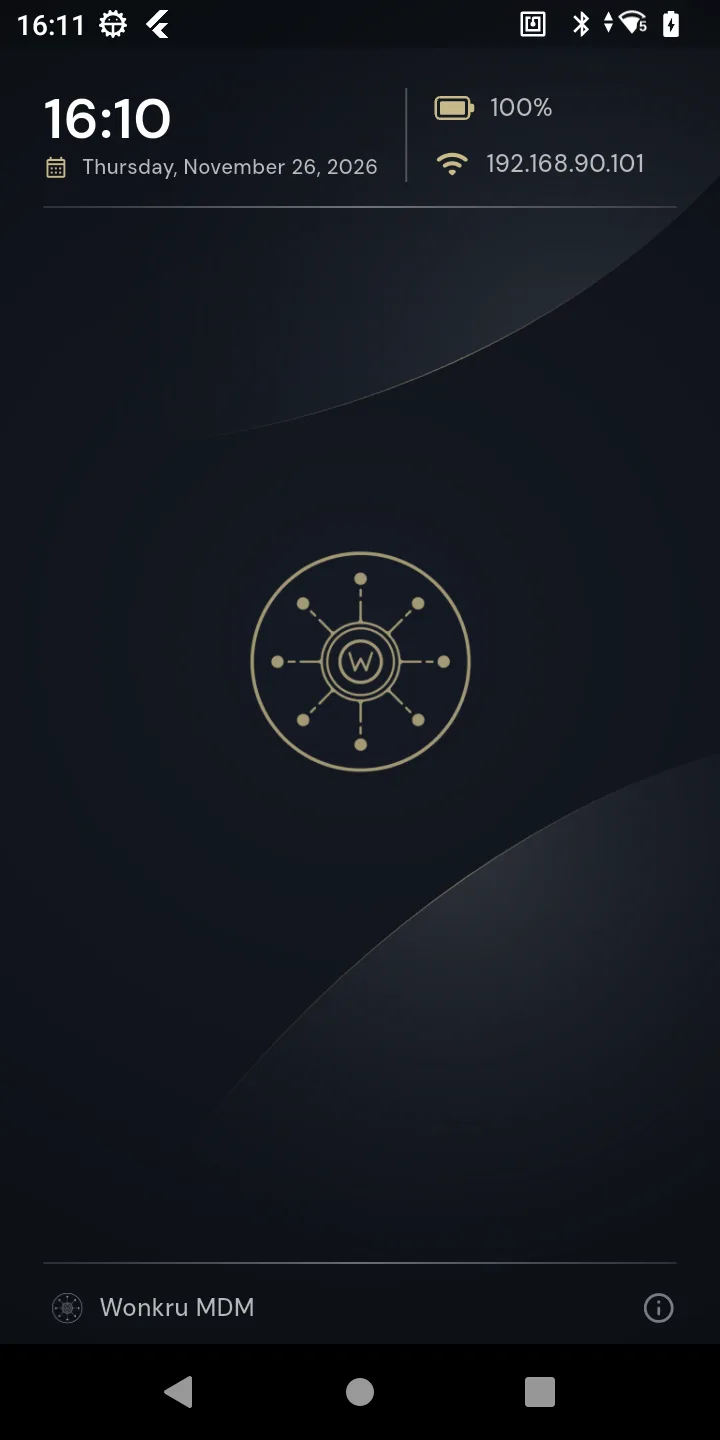
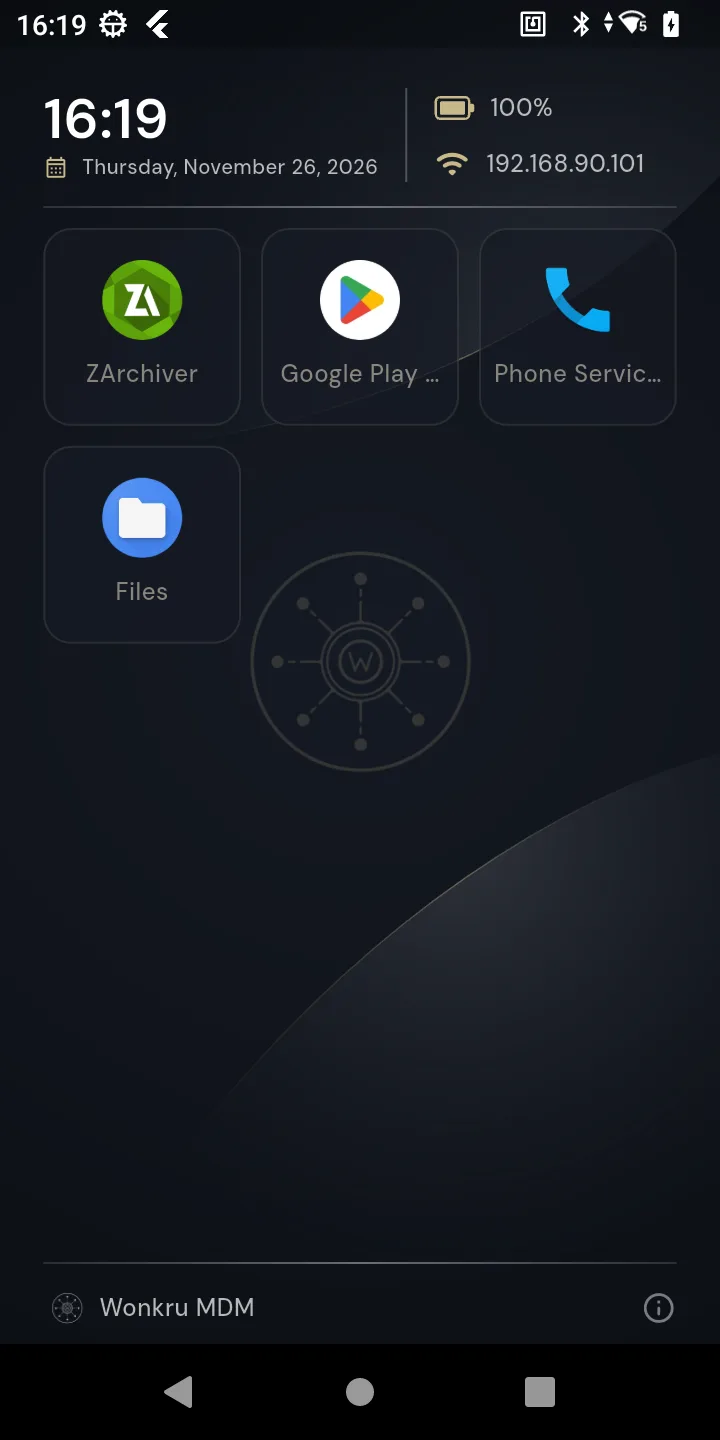
in the policy that are installed and do not have show_launcher off are visible on the screen. The status bar and
notification drawer remain open.
6.6 On-device IT page
Section titled “6.6 On-device IT page”Double-tapping or long-pressing the info button in the launcher opens the password screen. The password
is verified on the server with the policy’s admin password (passwordCheck); in “manual” mode the local
password or IT_PAGE_PASSWORD is used. On a standard install the policy admin password is
STARTER_ADMIN_PASSWORD in the installation .env; read it from the
installation guide.
Double-tap the shield icon in the center of the password card,
then long-press it within 1 second, to turn on manual login.
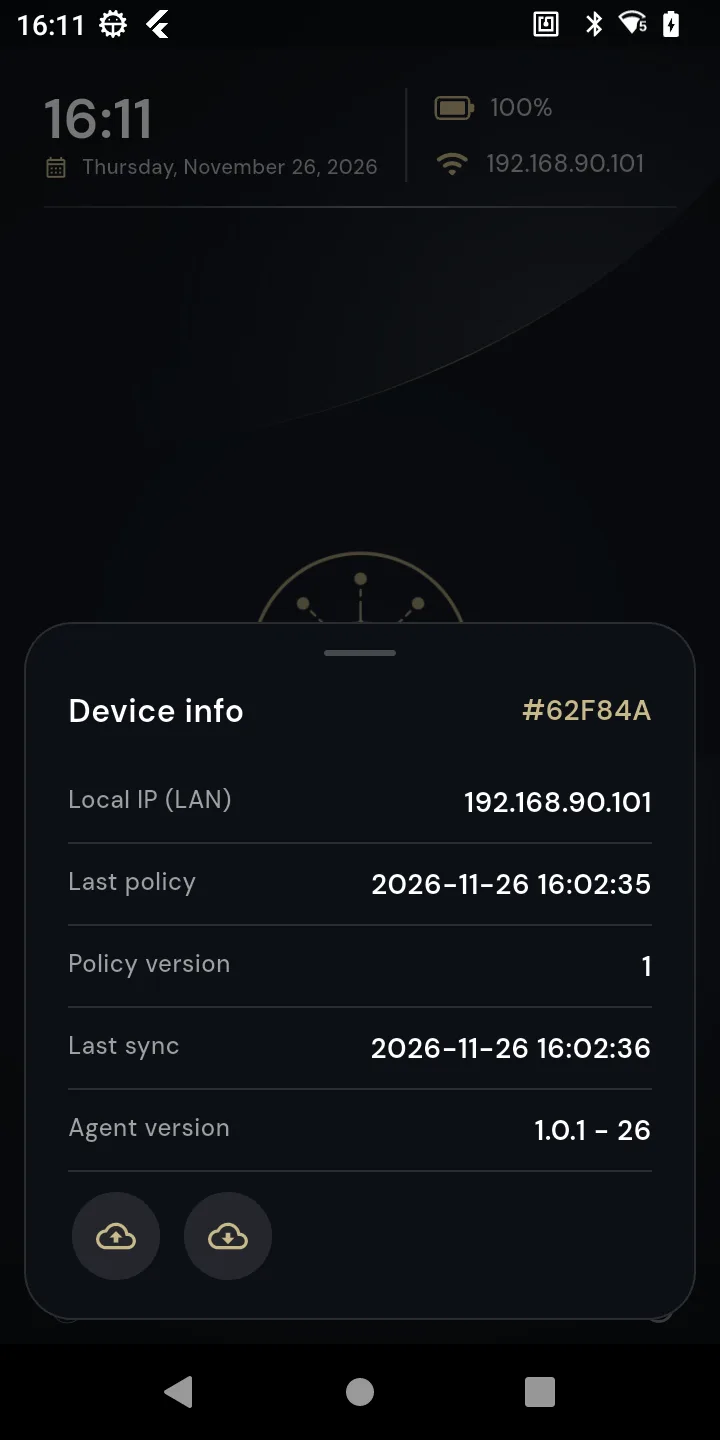
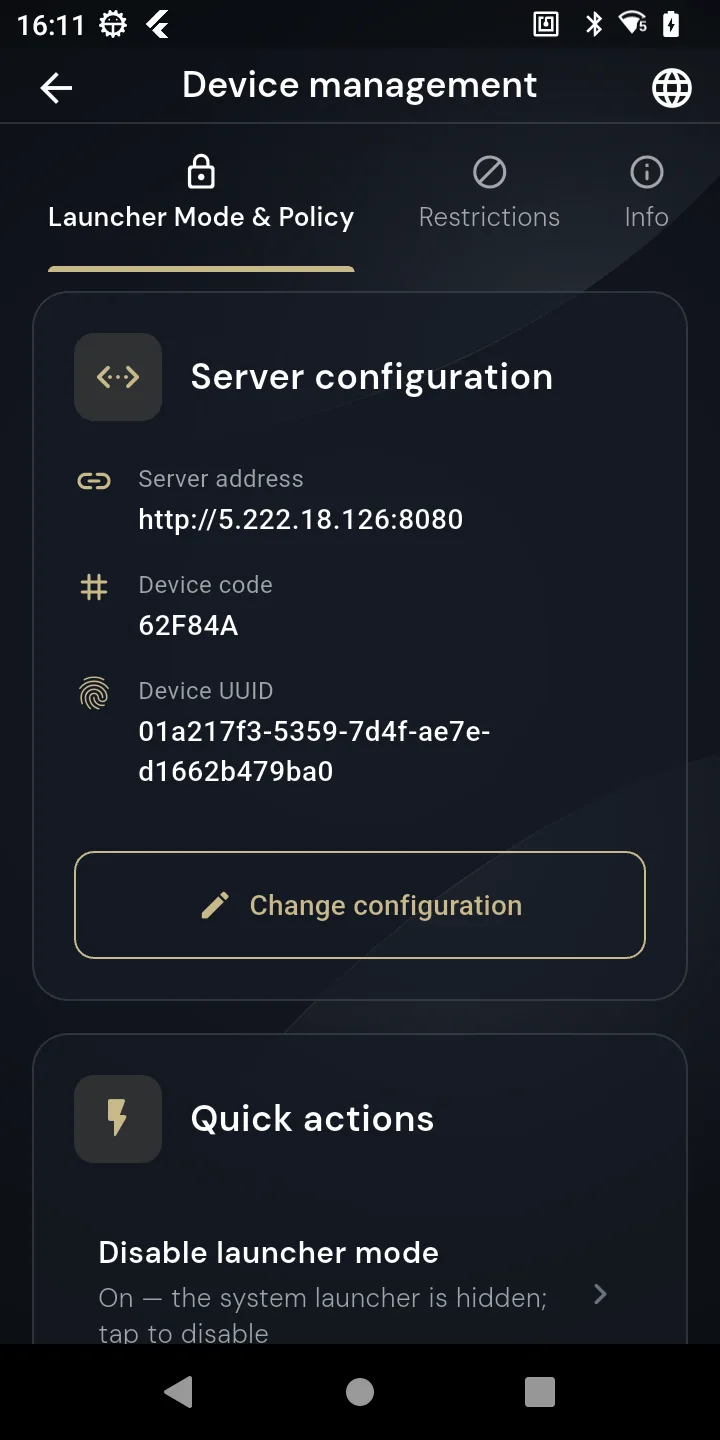
Tabs: changing the server address, disabling launcher mode, permissions page, sync, re-applying the policy, clearing HOME, opening Settings; toggling restrictions one by one; device info; start/stop stream and its logs; watchdog diagnostics; logs; admin password.
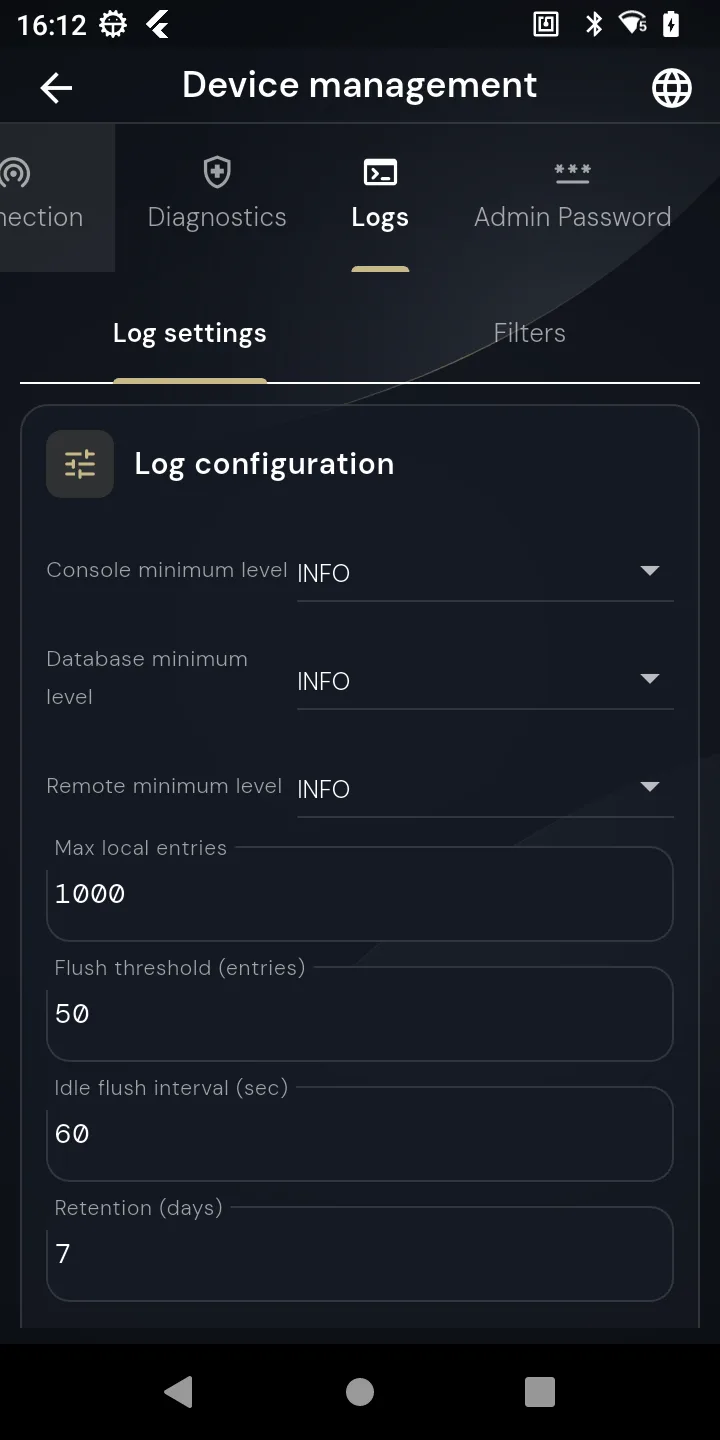
6.7 Collected data
Section titled “6.7 Collected data”Full sync (lib/Core/Services/device_data_collector.dart, syncType=full):
| Section | Content |
|---|---|
device |
Manufacturer, model, brand, fingerprint, SDK/version/security patch, ABIs |
mdmApp |
Agent version, signature, installer |
apps |
All installed apps |
battery, storage, display, audio |
Level and settings |
network |
Connection type, SSID/BSSID/RSSI, IPv4/IPv6, local and public IP, gateway |
security |
Password sufficiency, keyguard, Device Owner, root info, ADB/developer options, encryption, accessibility services |
certificates |
Installed CAs |
restrictions |
Restrictions in the policy |
bs, st |
Local store dumps; token, enrollment key, journal, IT password and policy are excluded |
Sending: at setup, after every policy application, at full_sync_cron time,
with the device_data command, and manually from the IT page.
Other channels: heartbeat (60 sec), event reports, location (only via command; no continuous tracking), logs (remote sending off by default; if on, flushed at 50 records or after 60 sec idle).
6.8 Native layer
Section titled “6.8 Native layer”The Dart ↔ Kotlin bridge is generated with Pigeon. Definitions live in lib/Core/Native/Definitions/, generated
code in lib/Core/Native/Generated/*.g.dart and api/*.g.kt.
| API | Main methods |
|---|---|
AppApi |
Installed apps, icon, installing/removing APKs, launching, clearing data, settings screen |
AudioPig |
Media volume, notification policy access |
CertificateAPI |
Installing/listing CAs, installing/removing key pairs |
DisplayAPI |
lockNow, lock screen message, screenshot ban, settings listener |
KeyguardAPI |
Keyguard features, Device Owner/lock state |
LauncherModeApi |
Adding/clearing HOME handler |
PasswordPolicyAPI |
Password policy |
RestrictionAPI |
User restrictions (single/bulk) |
SystemSettingsAPI |
Global/secure/system settings, time zone, enabling location, storage, root info, reboot, advanced security info, launching intents |
SystemNotificationAPI, WifiAPI |
Notification, Wi-Fi |
Additional channels: wonkru/log (log), com.wonkrumdm/watchdog (watchdog control).
The manifest has ~100 permissions (all MANAGE_DEVICE_POLICY_* permissions, installing/deleting packages,
writing secure settings, location, foreground service, boot). Components: MainActivity
(HOME/LAUNCHER/provisioning filters), ProvisioningActivity, MdmDeviceAdminReceiver,
BootReceiver, AppChangeReceiver, WatchdogService, WatchdogAlarmReceiver,
InstallResultReceiver.
Two separate local stores
Section titled “Two separate local stores”StorageHelper(flutter_secure_storage): token, enrollment key, command journal, IT password.BasicStorage(SharedPreferences,flutter.-prefixed): flags the native side also reads (launcher mode,server_url, CA, setup time).
Key names are in the Sk enum (storage_keys.dart). A value to be shared with the native side
must be written to BasicStorage, not secure storage.